A hotel management system for housekeeping, maintenance and guest requests
TaskLoop is a hotel management system for daily operations. Guests send requests by scanning the QR code in their room, reception assigns them to housekeeping, engineering or any department, staff complete them on a mobile app with photo proof, and managers see response times and guest ratings. It works alongside your PMS.
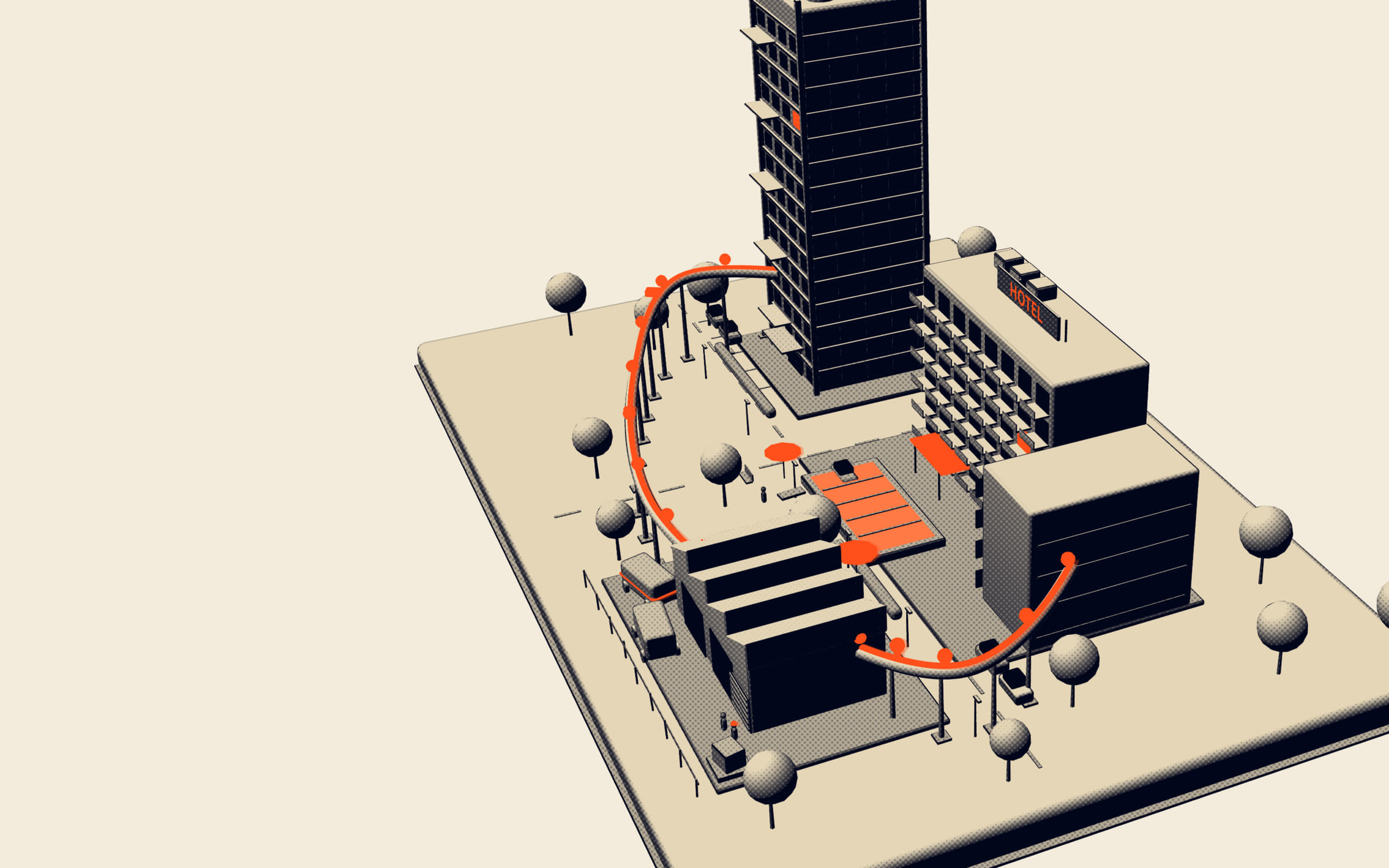
HOTEL · FL 4 · RM 418
01 / 04
Request
The guest in room 412 scans the QR code in the room and asks for extra pillows. Requests that come by phone or at the desk are registered by reception in the dashboard.
02 / 04
Assign
Reception assigns the task to housekeeping or a named room attendant, with a priority, a deadline and any instructions.
03 / 04
Act
The attendant gets a push notification, accepts the task, delivers the pillows and closes it with an optional photo. If it runs late, it escalates to the supervisor.
04 / 04
Rate
The guest rates the service from the same QR page. The rating, the response time and the completion time feed the reports.
What a hotel management system does here
A hotel management system, in the sense TaskLoop uses it, is software that runs the daily operational work of a hotel: guest requests, housekeeping tasks, maintenance jobs, and the coordination between front office and the departments that do the work. It makes sure every request is captured, assigned to a named person, completed, and measured.
The term is also used for the property management system, the PMS, which handles reservations, check-in, room inventory and billing. TaskLoop is not a PMS. It works alongside a PMS such as OPERA, Cloudbeds or Mews. The PMS knows who is staying in room 412 and what they owe. TaskLoop knows that the guest in 412 asked for extra pillows eleven minutes ago, that Maria from housekeeping accepted the task, and whether it is done. For more on that split, read hotel PMS vs operations software.
Who it is for
- Front-office managers and reception teams, who receive most requests and currently spend their shift on the phone relaying them.
- Executive housekeepers and housekeeping supervisors, who need to know which rooms and requests are with which attendant, and what is still open.
- Chief engineers and maintenance technicians, who get a constant stream of small jobs, from a dripping shower to an AC unit that will not cool.
- Duty managers and general managers, who want to see service quality across the hotel without walking every floor.
- Room attendants, houseman, runners and room service staff, who receive tasks on their phone instead of by radio or a shout down the corridor.
It fits city hotels, resorts, and serviced apartments alike. See also hotels.
Common problems in hotel operations
Reception becomes a switchboard
Guests call the front desk for everything: towels, an iron, a late checkout question, a TV that will not turn on. Reception writes it down or remembers it, then calls housekeeping or engineering. At peak check-in time, calls wait, notes get lost, and the guest calls again.
Requests disappear between departments
A request that passes through two or three people has two or three chances to be dropped. The night shift does not know what the day shift promised. A maintenance job reported by housekeeping is never passed on to engineering.
No owner, no deadline
When a request is shouted down a radio channel or posted in a housekeeping WhatsApp group, it is not clear who took it or by when it must be done. Some requests are done twice, others not at all.
No proof
When a guest says the minibar was never restocked or the room was not cleaned properly, the supervisor has nothing to check against except the attendant’s word.
Late requests are only discovered as complaints
There is no mechanism that notices a request has been waiting too long. Managers find out from a review or at checkout.
No numbers for management
How long does it take to deliver extra towels at 10 pm? Which requests repeat in which rooms? How do guests rate housekeeping compared to engineering? Without data, staffing and training decisions are made on impressions.
How TaskLoop handles each problem
Guests send requests by QR code. Every room has its own QR code. The guest scans it, submits the request and sees it tracked to completion. No phone call is needed, and the request arrives with the room number already attached. Reception still registers requests that come by phone, in person or from other departments, so everything ends up in the same place. See guest and tenant requests.
One dashboard for reception. The admin dashboard shows every open request in real time, with its status, department and age, and the workload of each department. Reception assigns tasks to a department or a named staff member, sets a priority and a deadline, and adds instructions such as “guest prefers after 3 pm”.
Housekeeping on the staff app. Room cleaning, turndown requests, amenities, extra bedding and lost and found run as tasks. Attendants receive them with push notifications, accept them, update the status and close them. See housekeeping.
Maintenance with a record. Engineering jobs, from a blocked drain to a room that needs to go out of order, are assigned to a technician, tracked through their status and closed with an optional photo and a completion timestamp. The chief engineer has a log of what was done in each room.
Escalation. When a task becomes overdue, it escalates to a supervisor. A forgotten request becomes a supervisor’s problem before it becomes a guest’s complaint. See escalations.
Photo proof. Staff can attach a photo when they complete a task. The made-up room, the repaired fitting, the delivered amenity: the evidence is on the task, with the time it was taken.
Reports and guest ratings. After completion the guest rates the service. Reports show task completion rates, response and completion times, staff performance and guest ratings, so the executive housekeeper and the chief engineer can see where time goes. See analytics and reports.
A typical workflow
An evening in a 200-room city hotel:
- Request. At 21:40 the guest in room 412 scans the QR code by the bed and asks for two extra pillows and a bottle of water.
- Assign. The request appears in the dashboard. Reception assigns it to the housekeeping runner on the evening shift, with a 20-minute deadline.
- Act. The runner gets a push notification, accepts the task, delivers the items and closes it. The completion time is recorded.
- Rate. The guest sees the request marked complete and rates the service.
At 22:15 another guest reports that the bathroom tap in 309 will not stop dripping. Reception assigns it to the engineer on duty. He is still busy with another job when the deadline passes, so the task escalates to the duty manager, who reassigns it. The next morning the chief engineer sees both the job and the escalation in the report.
Housekeeping, maintenance and front office on one loop
Most hotels run three overlapping flows of work, and each one breaks in its own way. TaskLoop puts all three on the same request, assign, act, rate loop, so the departments stop relaying work to each other by phone.
Housekeeping
The executive housekeeper’s day is made of room cleaning, turndown, guest amenity requests, linen and lost and found. Room status for sale stays in the PMS, but the individual tasks around each room live in TaskLoop: “extra cot in 604”, “turndown for VIP in 1201 before 19:00”, “guest left a charger in 318”. Each has an owner, a deadline and a completion time, so the supervisor can see at a glance what the floor still owes. For a practical checklist, see hotel housekeeping by room status.
Maintenance and engineering
Engineering receives faults from guests, from housekeeping during cleaning, and from its own rounds. In TaskLoop each fault is a task with the room or area, a priority and a technician. When a room has to be taken out of order, the job that will bring it back is visible and timed, which matters to front office because an out-of-order room is a room they cannot sell.
Front office
Reception stops being a relay station. Requests that arrive at the desk are registered once and assigned, and the agent can tell a guest who calls back exactly where their request stands, rather than promising to “check with housekeeping”.
Across shifts
Because open tasks stay in the dashboard until someone closes them, the night team inherits a clear list rather than a handwritten note. The morning duty manager can see what was escalated overnight and why.
For a deeper look at speed, read how to cut guest request response time.
Manual methods vs TaskLoop
| Phone, radio, paper and WhatsApp groups | TaskLoop | |
|---|---|---|
| How guests ask | Call reception and wait | Scan the room QR code, no call needed |
| Where requests live | Notebook, memory, chat thread | One dashboard, every request with room and status |
| Who owns a task | Whoever answers the radio | One department or named staff member |
| Priority and deadline | Rarely set | Set on every task |
| Shift handover | Verbal or a paper log | Open tasks stay visible in the dashboard |
| Late requests | Found through complaints | Escalate to a supervisor |
| Proof of work | The attendant’s word | Status history, optional photo, completion timestamp |
| Guest feedback | Reviews after checkout | Rating on each completed request |
| Management reporting | Guesswork | Completion rates, response and completion times, staff performance, ratings |
What TaskLoop is not
- Not a PMS. It does not take reservations, manage room inventory or rates, run check-in and check-out, or handle billing. Keep OPERA, Cloudbeds, Mews or whatever PMS you use for that.
- Not a channel manager or booking engine. Distribution stays where it is.
- Not a POS or F&B system. Room service orders that need billing go through your existing systems; TaskLoop handles the task of getting something to the room.
- Not a guest messaging or CRM platform. It handles requests and their completion, not marketing or pre-arrival campaigns.
- Not a building automation system. It does not control in-room climate or lighting.
TaskLoop covers the part of hotel operations that usually runs on phone calls, radios and chat groups, and makes it accountable.
Getting started
In a demo we look at how requests move through your hotel today, set up sample rooms and departments, and show the guest QR flow, the reception dashboard and the staff app. If you also manage residential or commercial buildings, see building management; for teams outside hotels, see task management. Pricing is quote-based and explained on pricing.
- Room QR
- Reception
- Department
- Photo proof
- Guest rating
Questions people ask
Is TaskLoop a PMS?
No. A property management system such as OPERA, Cloudbeds or Mews runs reservations, check-in, room inventory and billing. TaskLoop runs the operational work, which means guest requests, housekeeping and maintenance tasks, assignment, follow-up and reporting. It works alongside your PMS rather than replacing it, and you keep using the PMS for everything to do with bookings and folios.
Does TaskLoop integrate with OPERA, Cloudbeds or Mews?
TaskLoop works alongside these systems; it does not claim a direct integration with them. In practice, the PMS remains the source of truth for reservations and billing, and TaskLoop is where the requests and tasks around the stay are managed. If an integration matters to your hotel, raise it during the demo so we can discuss your setup.
How do guests send a request?
Each room has its own QR code. The guest scans it with their phone, chooses or describes what they need, and the request arrives in the dashboard with the room number attached. The guest can follow its progress and rate the service when it is done, without calling reception.
What happens if a request is not handled in time?
Every task has a deadline. When a task becomes overdue, it escalates to a supervisor, so a late request is visible to someone with the authority to act before the guest calls again or writes a complaint. The escalation is recorded, which also shows where the process is under strain.
Which departments can use TaskLoop?
Any department that receives and completes work. Housekeeping, engineering and maintenance, front office, room service and F&B, laundry, and security are the common ones. Reception or a duty manager assigns tasks to a department or to a named person, and each department's workload is visible on the dashboard in real time.
Does housekeeping need a separate system?
For tasks, no. Room cleaning, turndown requests, extra amenities and lost and found can all run as tasks in TaskLoop, with assignment, deadlines and photo proof. Room status for sale and inventory purposes normally stays in the PMS, which is where front office checks whether a room is ready to sell.
What do the reports show?
Task completion rates, response times, completion times, staff performance and guest ratings. Managers can see which request types take longest, which departments are overloaded at certain hours, and how guests rate the service, which gives the executive housekeeper and chief engineer concrete numbers for staffing and training conversations.
Is TaskLoop only for large hotels?
No. A small hotel benefits from fewer missed requests and a clear record as much as a large one, and resorts, serviced apartments and hotel apartments run on the same loop. Pricing is quote-based and depends on the number of rooms, the number of staff users and the modules you need, so it scales with the property.
See your own workflow in TaskLoop
Tell us how requests reach your team today. We will show you the same flow running in TaskLoop, with your roles and your request types.